Quick guide
Always mark passing events when the vehicle is in front of you - overtakes after you got passed, oncoming vehicles before they pass you. If you mark both event types, use a long press (ca. 1 s) for overtakes and a short press (0.1-0.2 s) for oncoming passes.
Check out the video for an example of how to mark an oncoming and an overtaking pass.
Marking of events
To ensure that the data material is as good as possible, we ask that you familiarise yourself with the procedure. We will regularly review the data material that you upload and provide feedback. You are welcome to contact us at any time at bicycledata@vti.se
On which rides should I log data?
Use the logger on your regular rides, preferably on asphalt roads in mixed traffic. The vibrations on gravel roads can be tough on the equipment. It is fine to take shorter stretches of gravel roads.
For which vehicle types should I mark overtakes?
All motor vehicles that require a driver’s licence (including trucks, tractors, motorbikes) except mopeds.
In which situations should I mark overtakes?
Mark overtakes only if you are riding in mixed traffic, that is in the lane, on a shoulder or in a cycle lane that is not physically separated. A painted line or milled rumble strips do not count as physical separation.
Do not mark any overtakes if you are in a separate cycle lane, behind a guardrail, or otherwise separated from motor traffic. See the table below for examples.
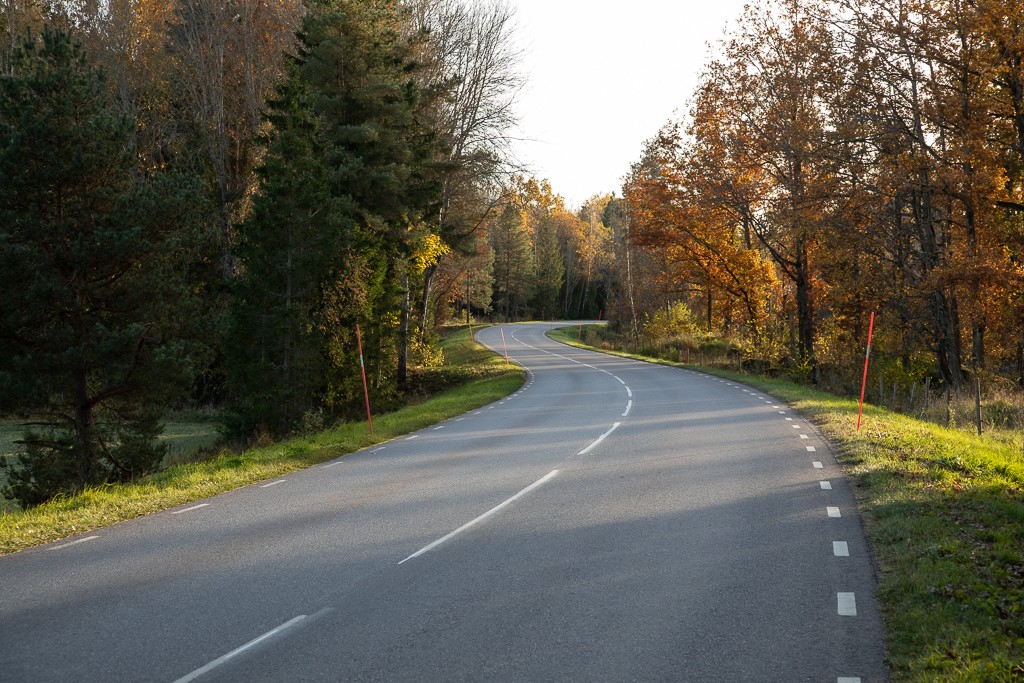 Same lane Mark overtakes when you and motor vehicles use the same lane. |
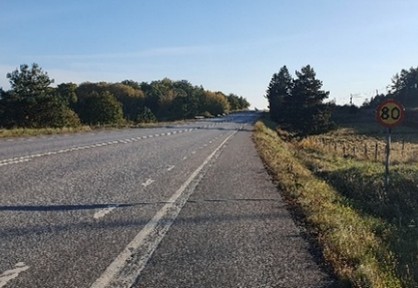 Road shoulder Mark overtakes when you ride on a shoulder without physical separation from the lane. |
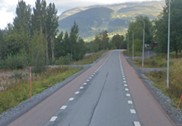 2 minus 1 Mark overtakes when cycling on a so-called 2 minus 1-road. |
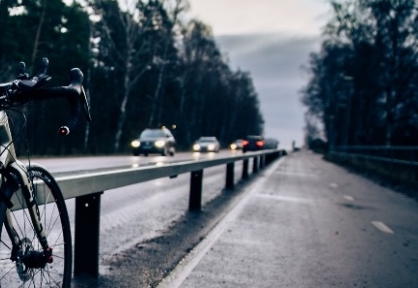 Guardrail Do not mark overtakes when there is a physical separation (as the guardrail here). |
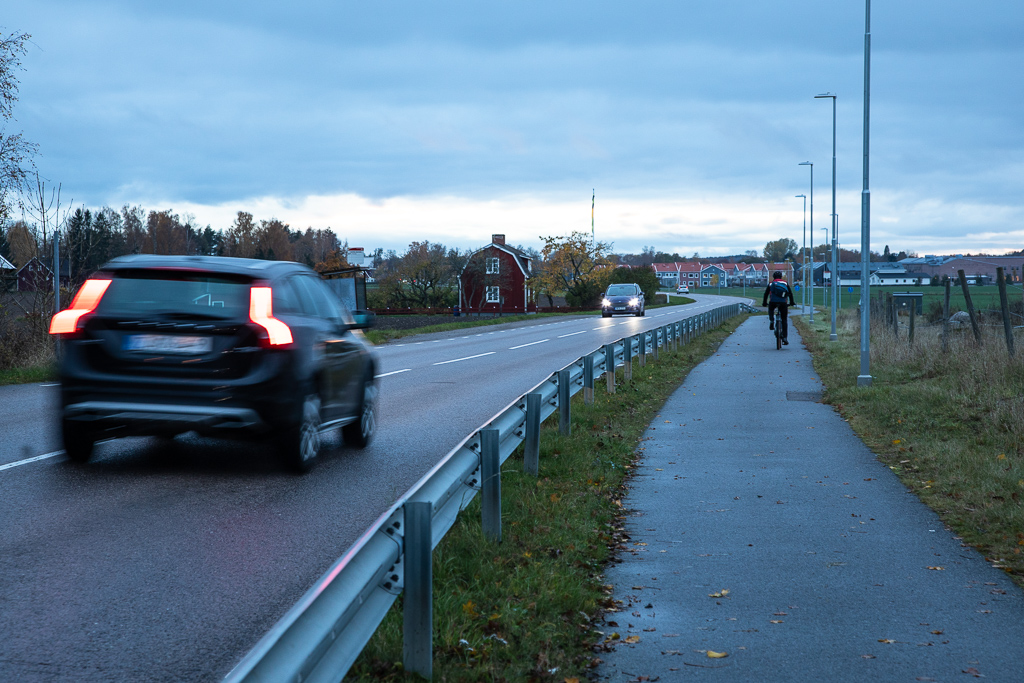 Greenery Do not mark overtakes if there is greenery separating you from the road (with or without guardrail). |
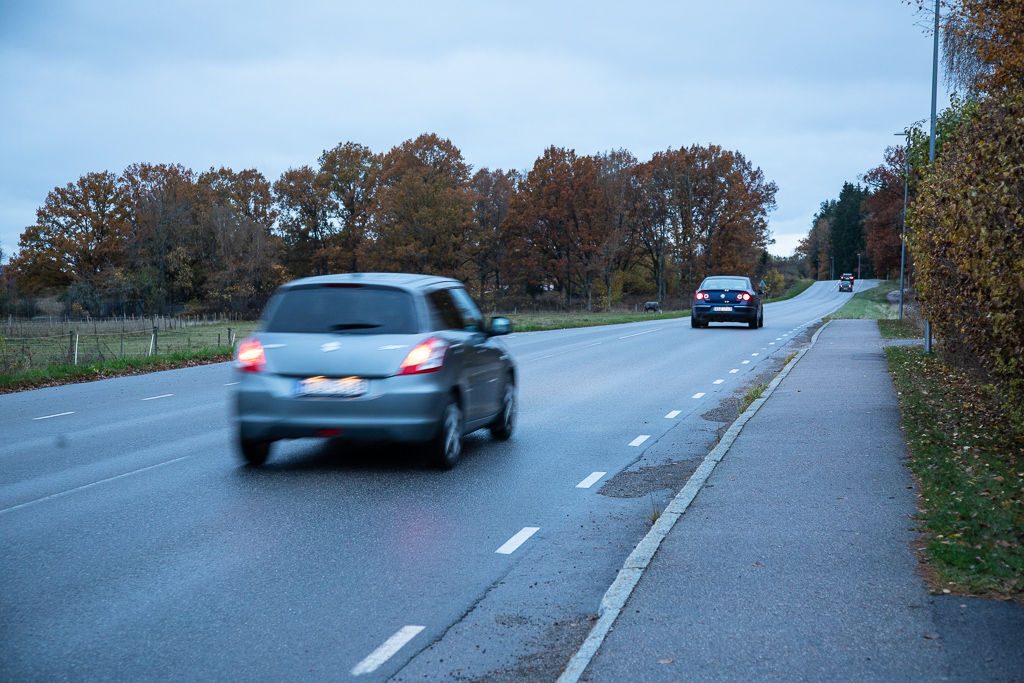 Curb Do not mark overtakes if there is a curb separating you from the road. |
Of course, your safety always comes first. You decide when you feel safe to mark overtaking. Don't feel pressured to press the button when it feels unsafe, for whatever reason.
When and how should I mark overtakes?
You ride as usual, except that you use the push button to mark when you have been overtaken. The idea is that you press the button soon after the vehicle has passed you – as a guideline, the earliest when you can see the license plate. This helps us to reliably find the overtakes in the data material (see also link to be inserted). Only press the button if it feels safe and secure in the situation.
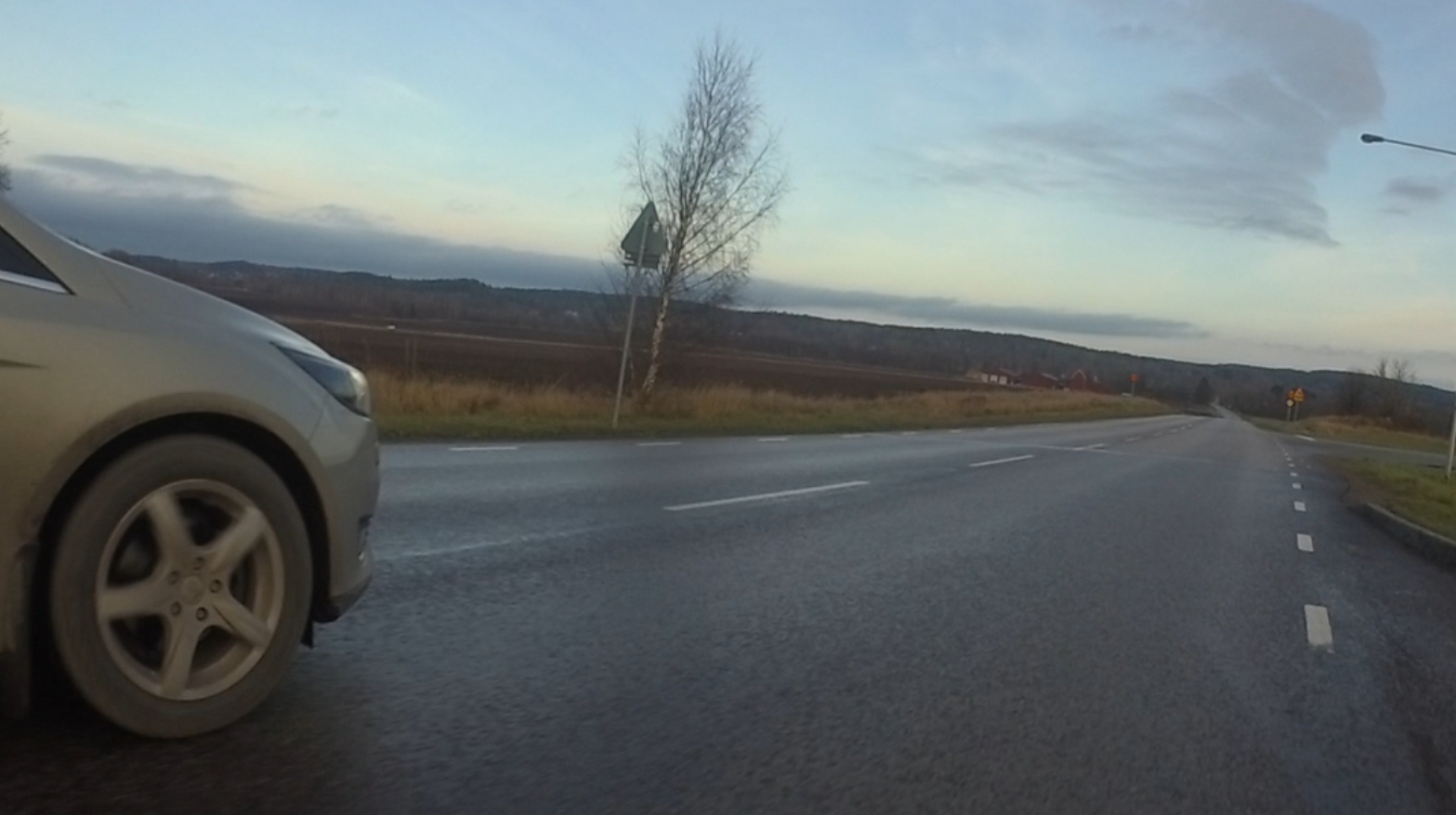 Car parallel The car is behind or next to you. Wait for the overtake to be completed before you press the button. |
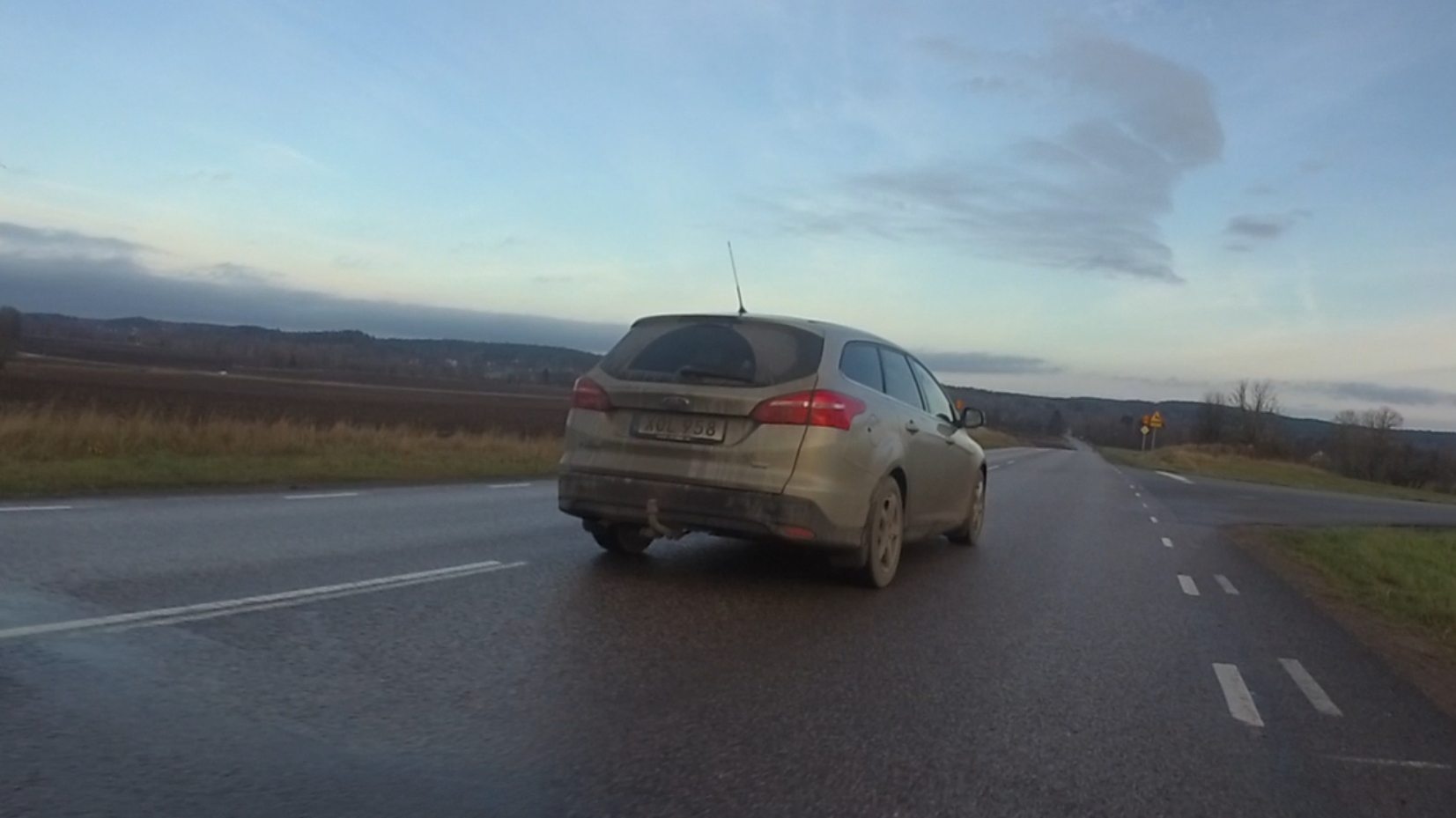 Overtake completed The car has passed you. You can see the licence plate. Press the button now. |
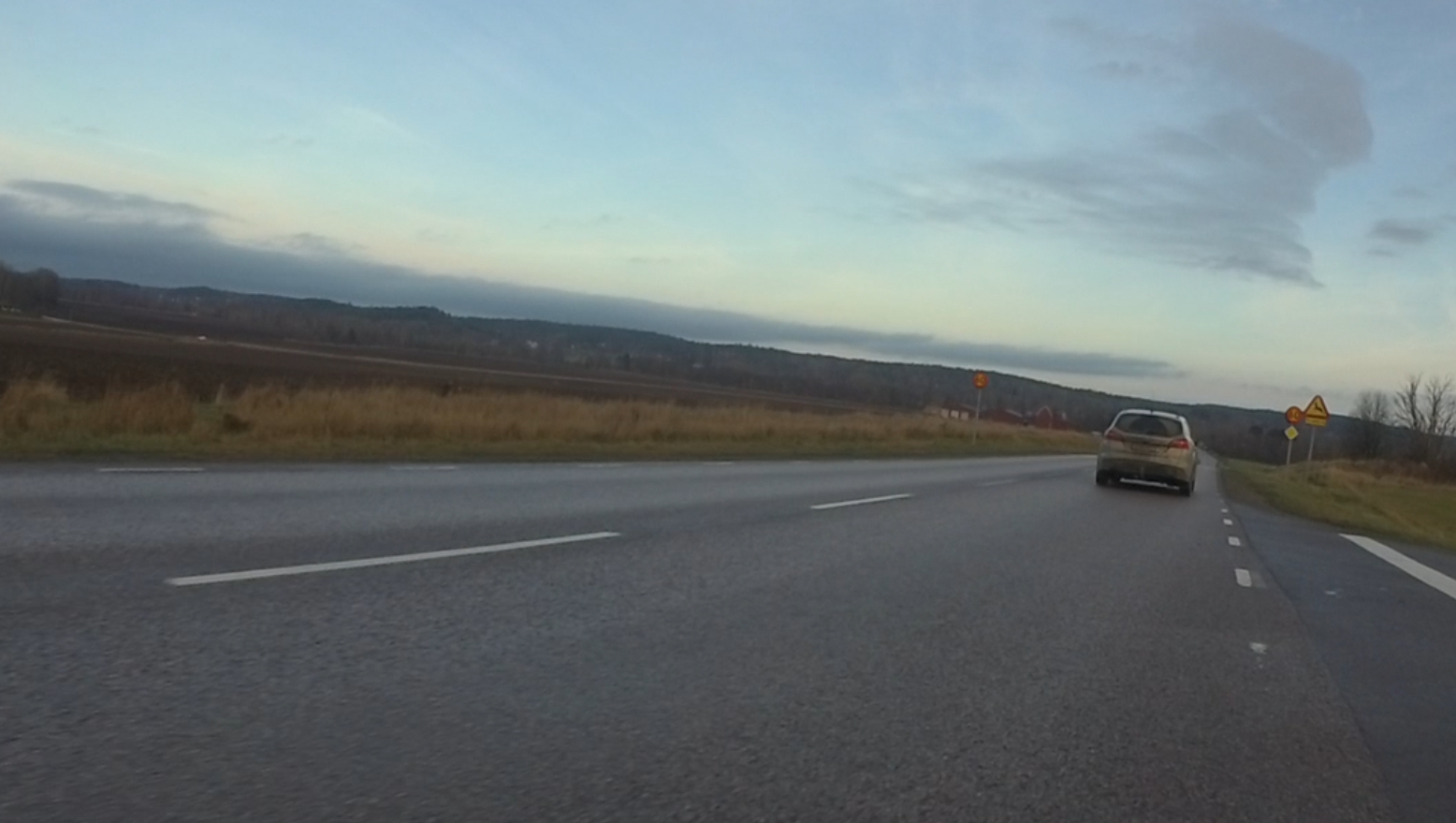 Car far ahead Press the button no later than here (depending on your and the vehicle's speed). |
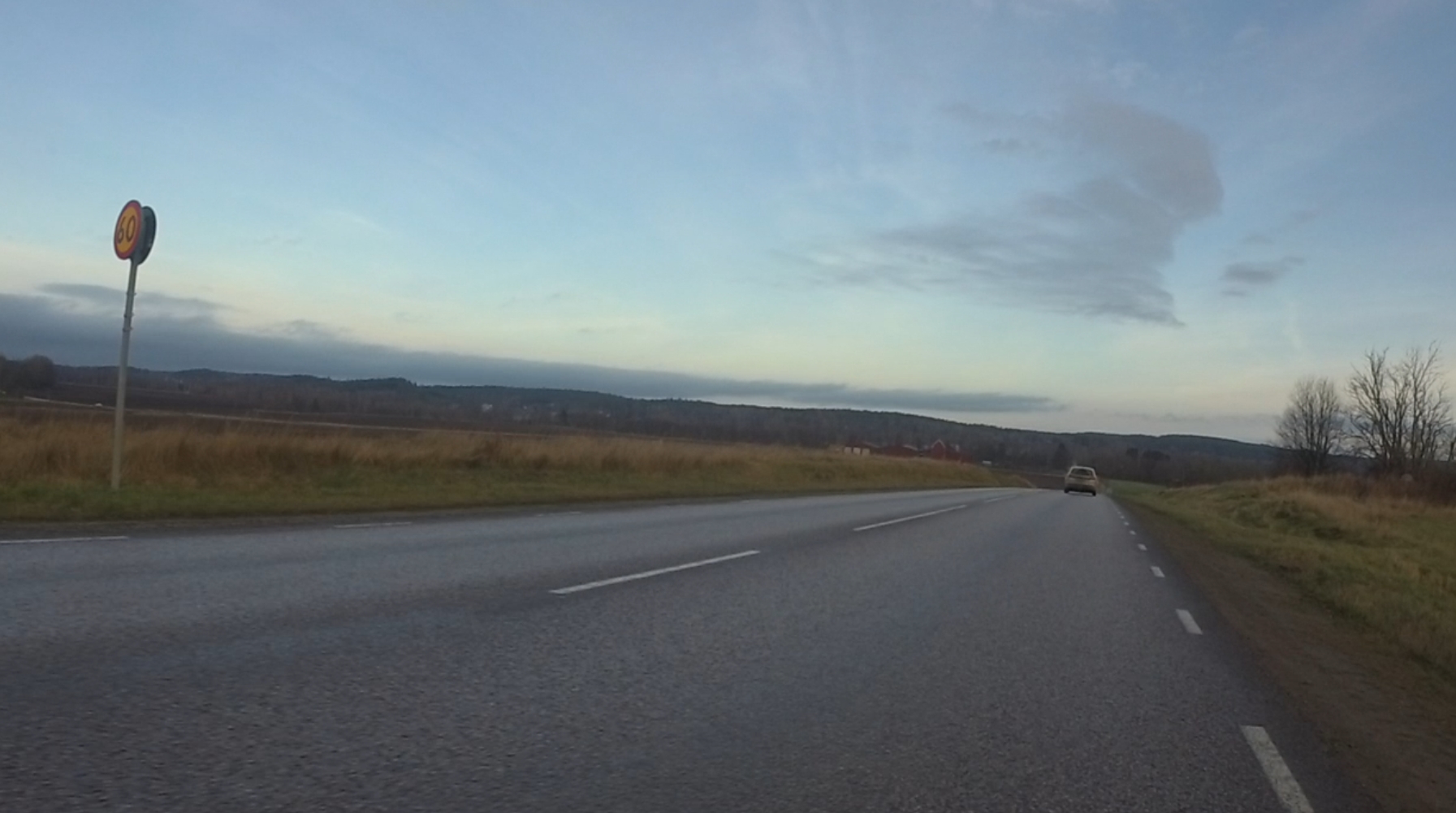 Car very far ahead Do not wait this long before pressing the button. |
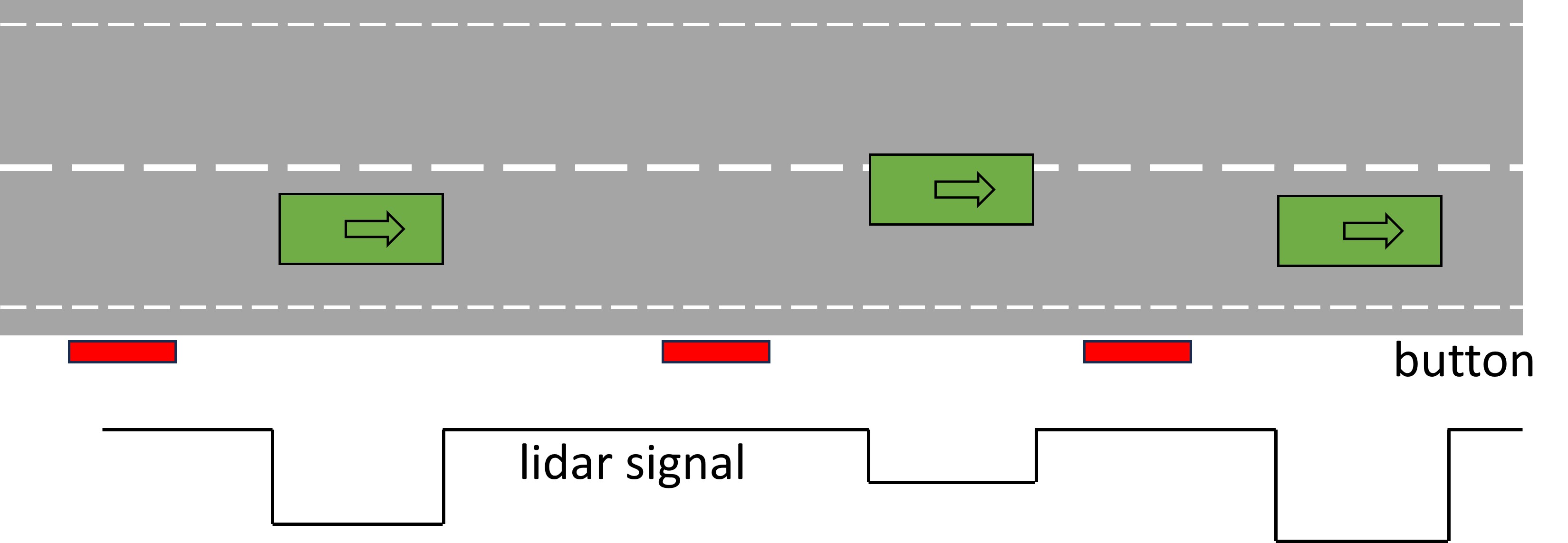 Press button in gaps between vehicles Several cars in a row overtake you. If possible, press the button in the gaps between them. Try to end the previous press before the next car starts to pass you. |
Bonus – marking of oncoming traffic
If you want, you can mark both overtaking and oncoming traffic. This gives us additional information, but it is also more complex for you to keep track of while cycling. So – better good markings of overtakes only than half-bad markings of both overtaking and oncoming traffic.
If you want to mark both: Make the button presses for overtakes long, at least a second. Mark overtakes as described above, when the vehicle has passed you and is in front of you.
Make the button presses for oncoming traffic short, just a “click” (0.1-0.2 seconds). Mark oncoming traffic when it is physically in about the same place as where you are marking overtaking vehicles. This means that oncoming traffic is still in front of you when you press the button.
The button press should ideally be completed before the vehicle passes you. Note on your dashboard whether you pressed the button for overtaking only or also for oncoming vehicles.
To remember: The vehicle is always in front of you when you press the button. Overtaking vehicles take longer to pass you --> long button press; oncoming vehicles pass in a shorter time --> short button press.
Overtake
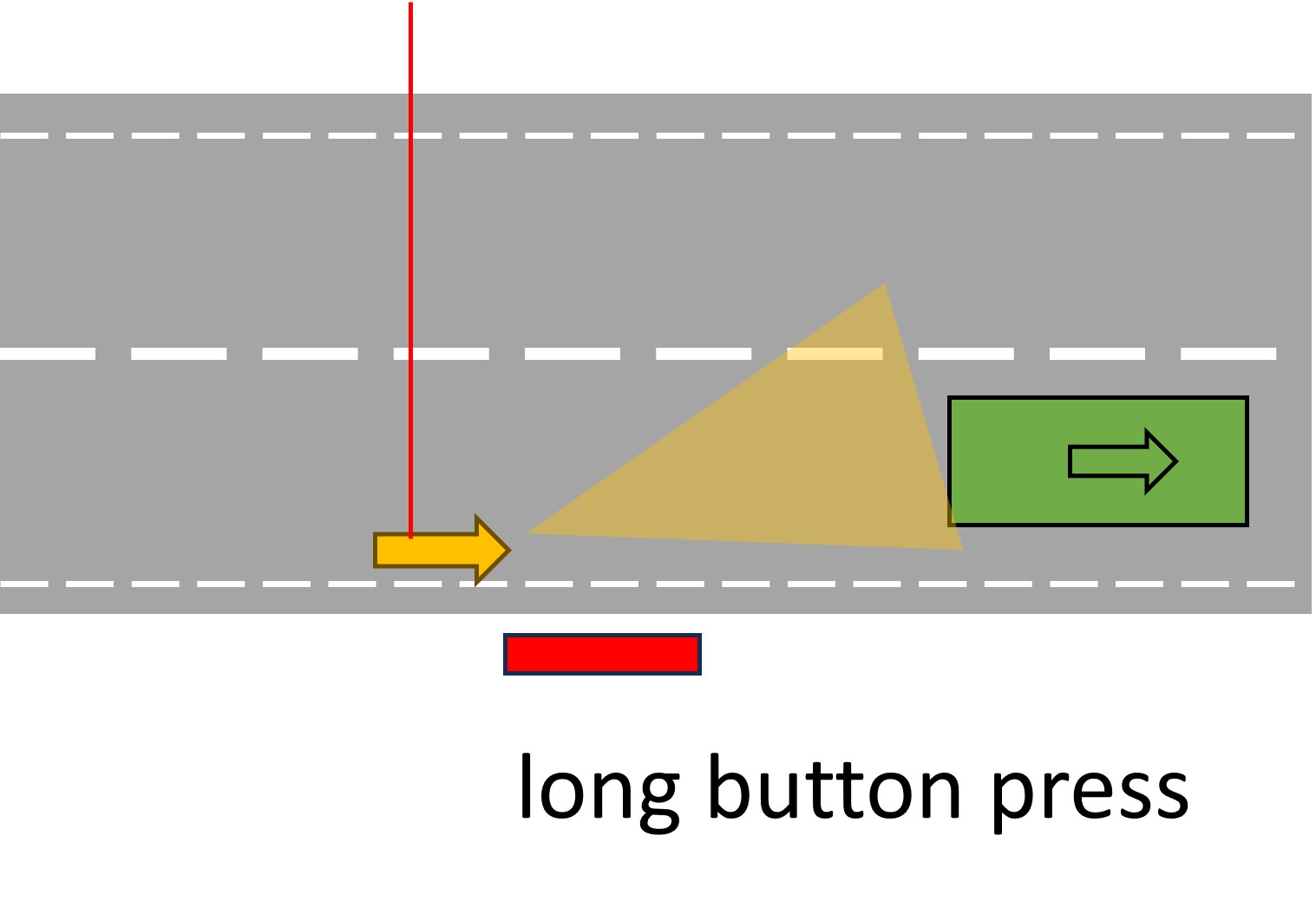 |
Oncoming
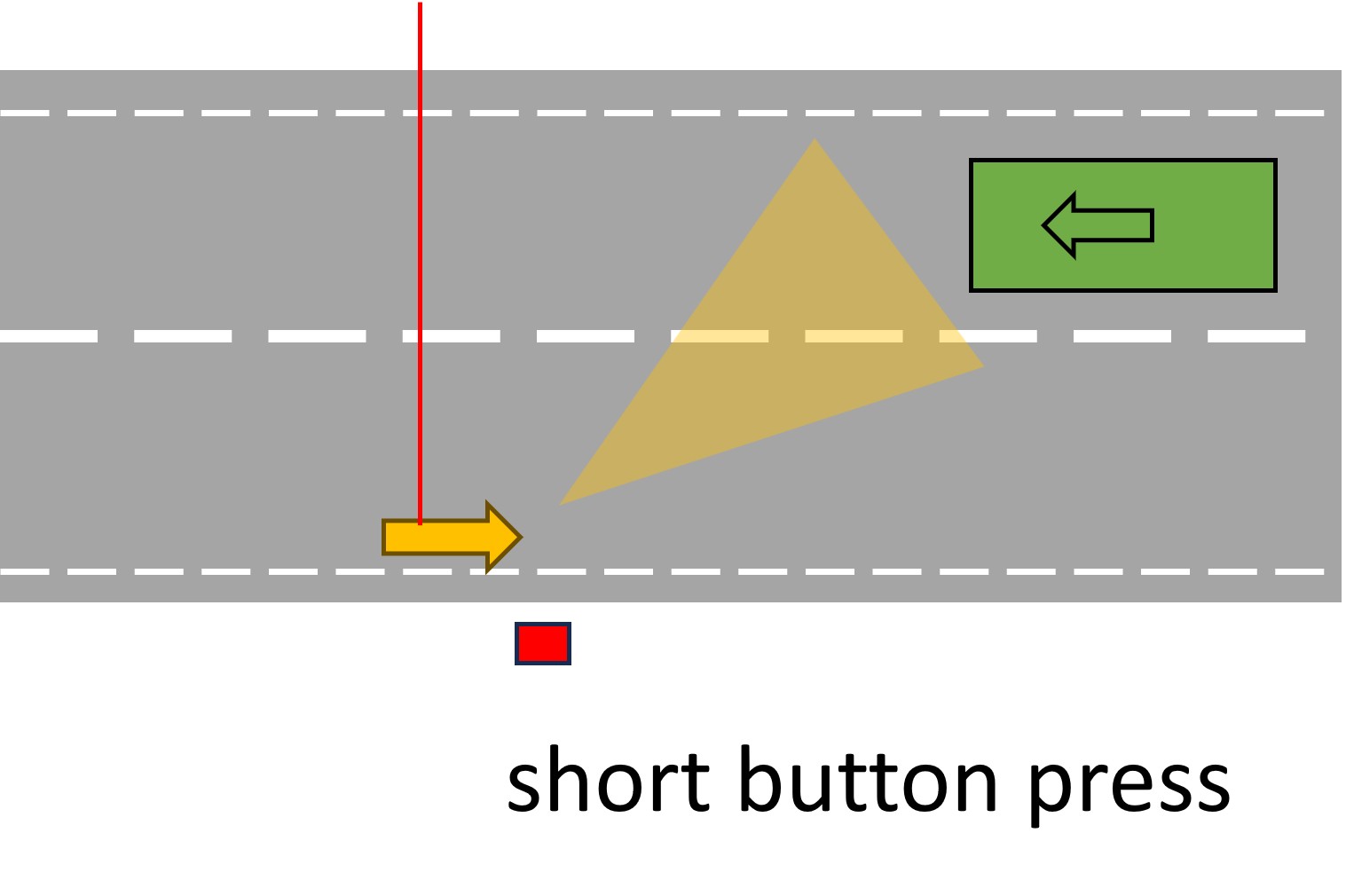 |
|
Long button press Press the button for around 1-2 s when you see the licence plate of the overtaking vehicle. |
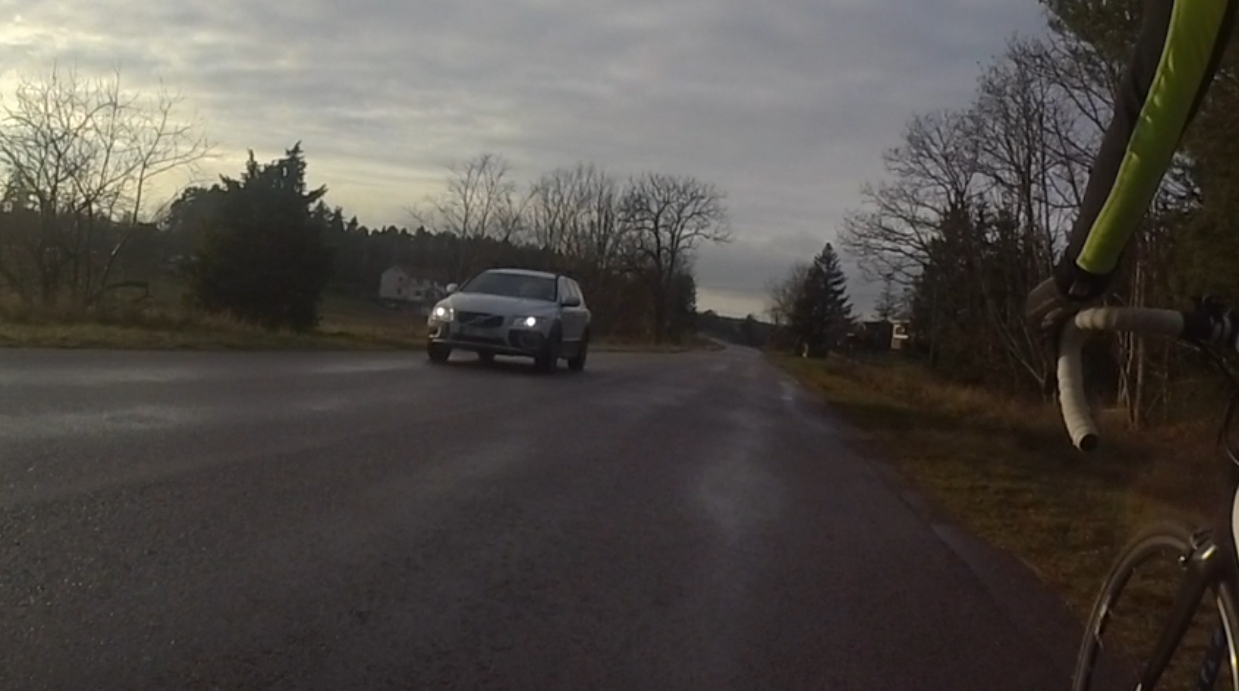 Short button press Press the button briefly (0.1-0.2 s) when you still can see the front of the oncoming vehicle. |
If you mark both overtaking and oncoming vehicles based on button press duration, your histogram of button press durations should look something like this:
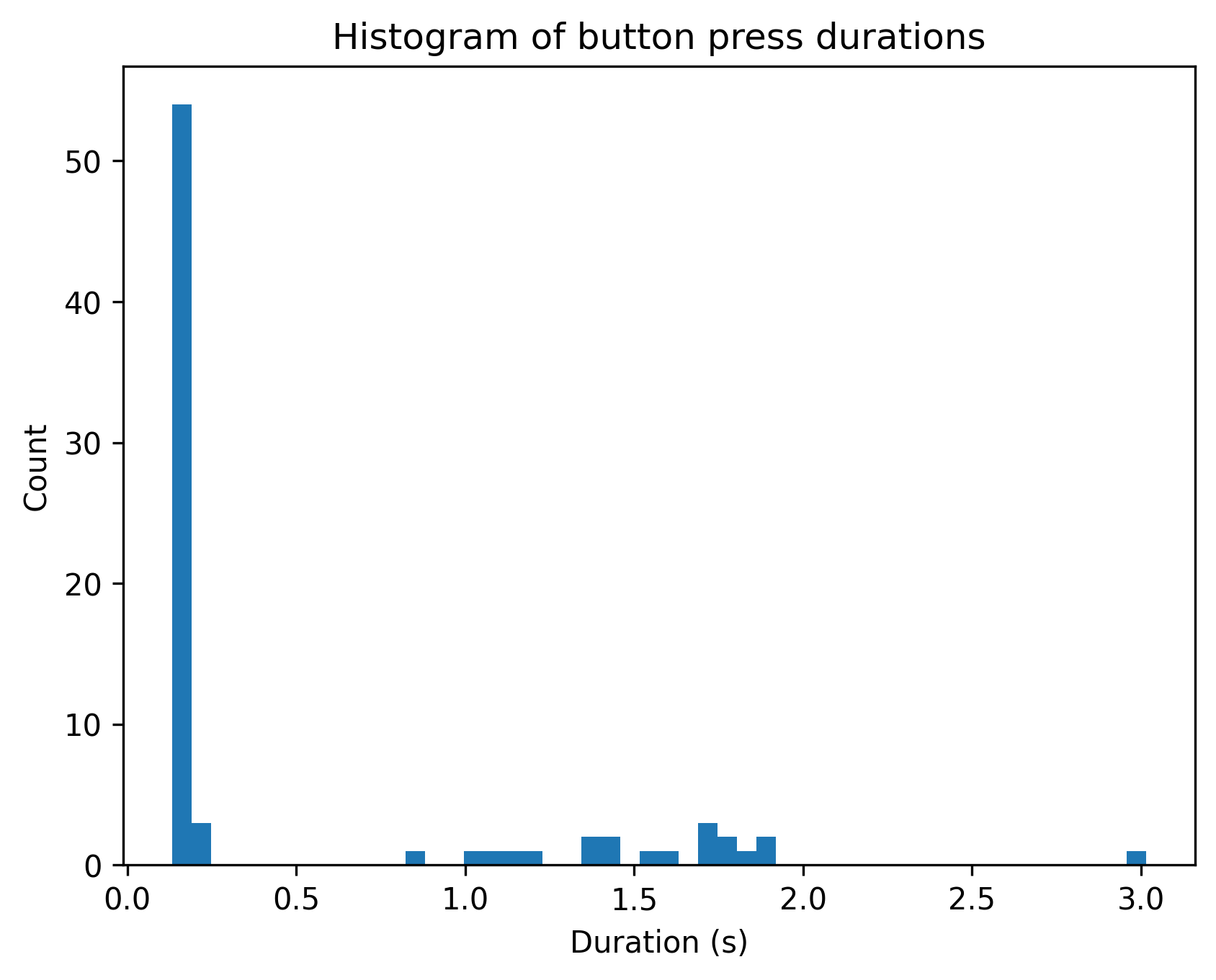
The presses for oncoming vehicles are well below 0.5 s long, and the button press durations for overtaking vehicles are clearly longer than 0.5 s.
Riding with others
If you are cycling with others, make sure not to press the button when another cyclist is on your left, as the distance to the cyclist will then be measured. If you are to the left of others, you can press the button as above. You indicate on your dashboard whether you were cycling alone (enter "0") or with others (enter the number of people you were riding with).