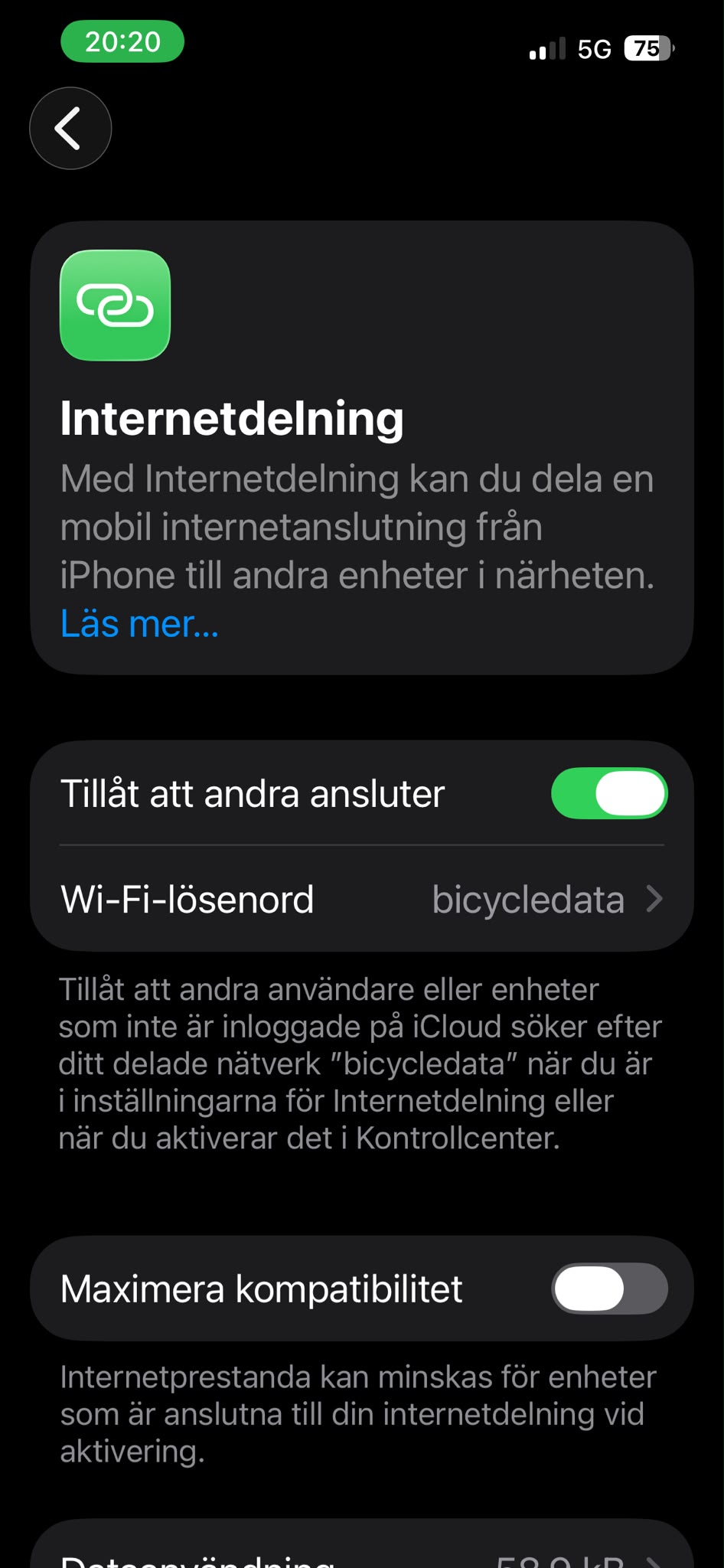
Detailed Instructions iPhone
Sorry, the screenshots are currently only available in Swedish. The English translations are maybe not 100 % correct.
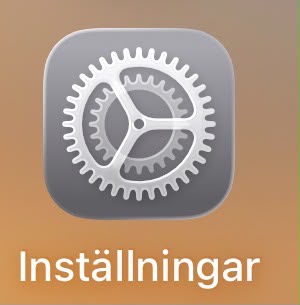
1. Go to Settings / Inställningar.
2. Go to General / Allmänt.
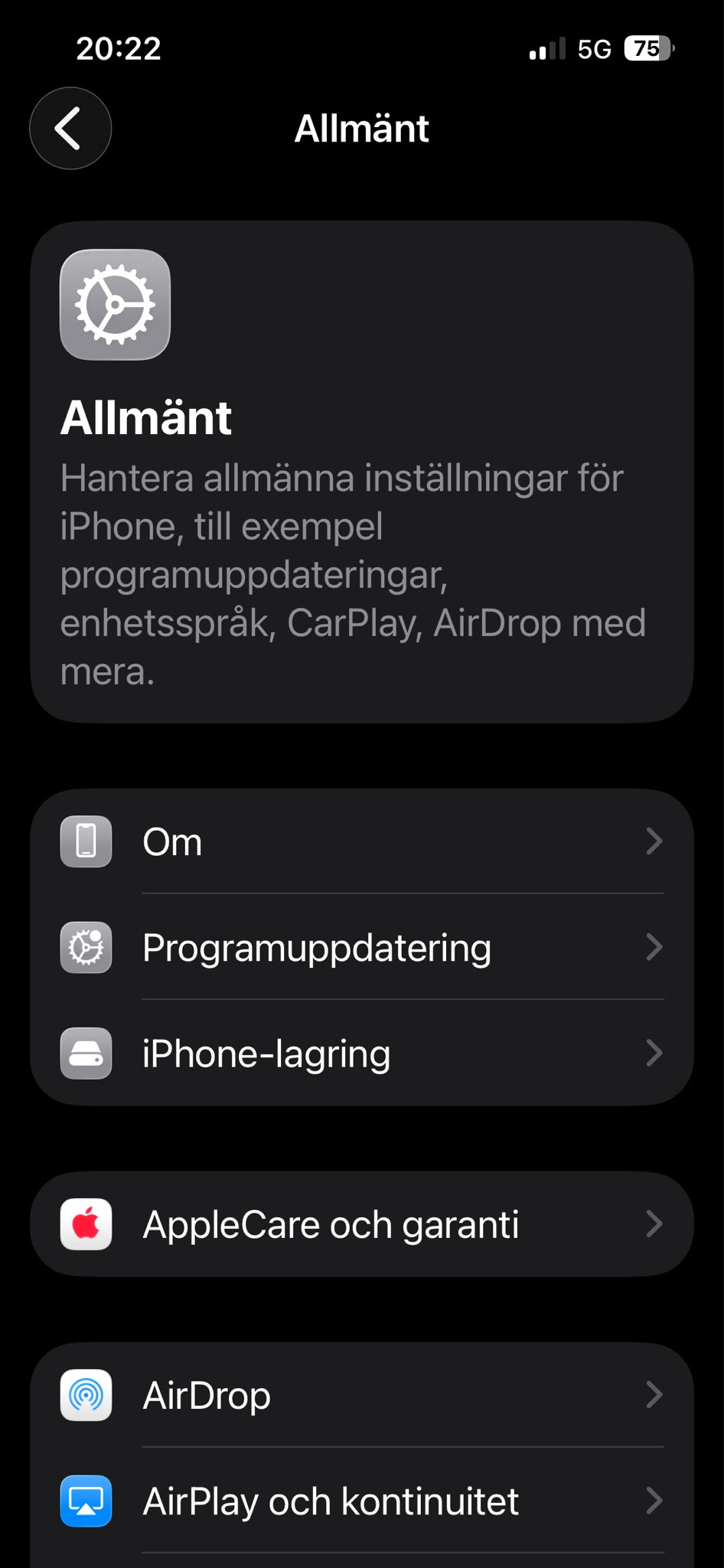
3. Go to About / Om.
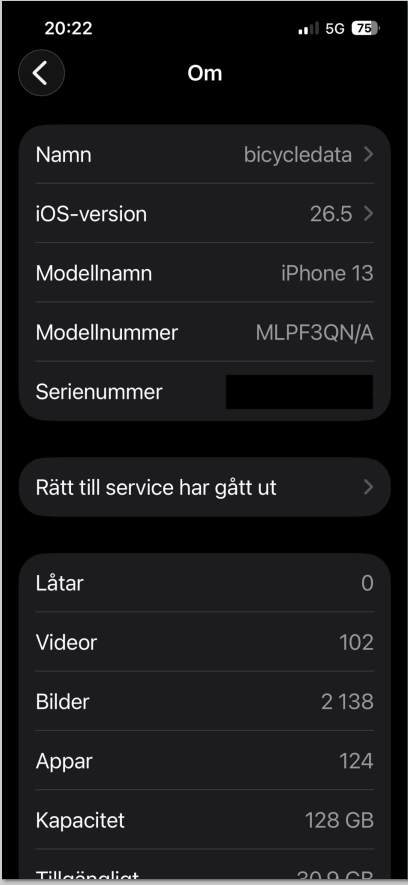
4. Click on Name / Namn.
5. Type in "bicycledata" as name.
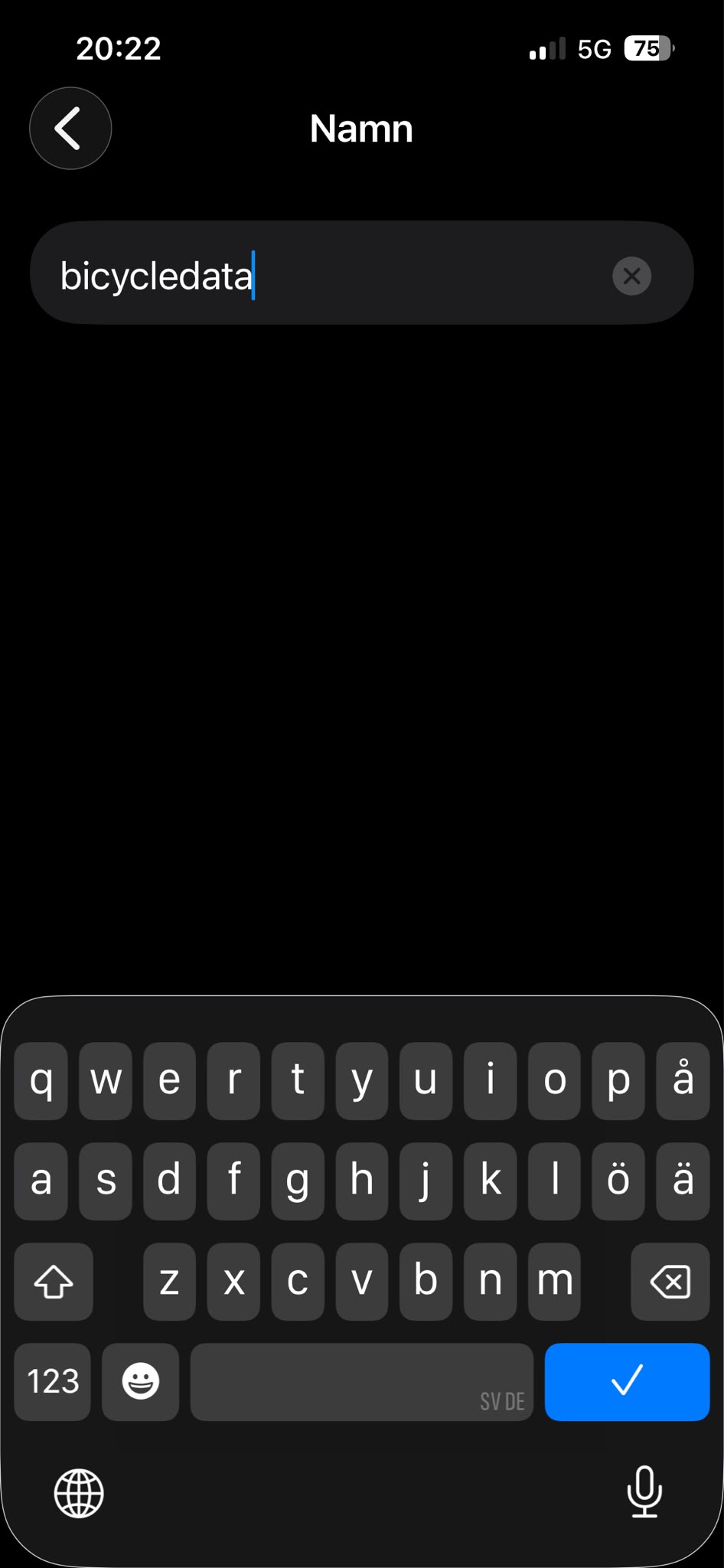
6. Go back to Settings / Inställningar.
7. Choose Hotspot / Internetdelning.
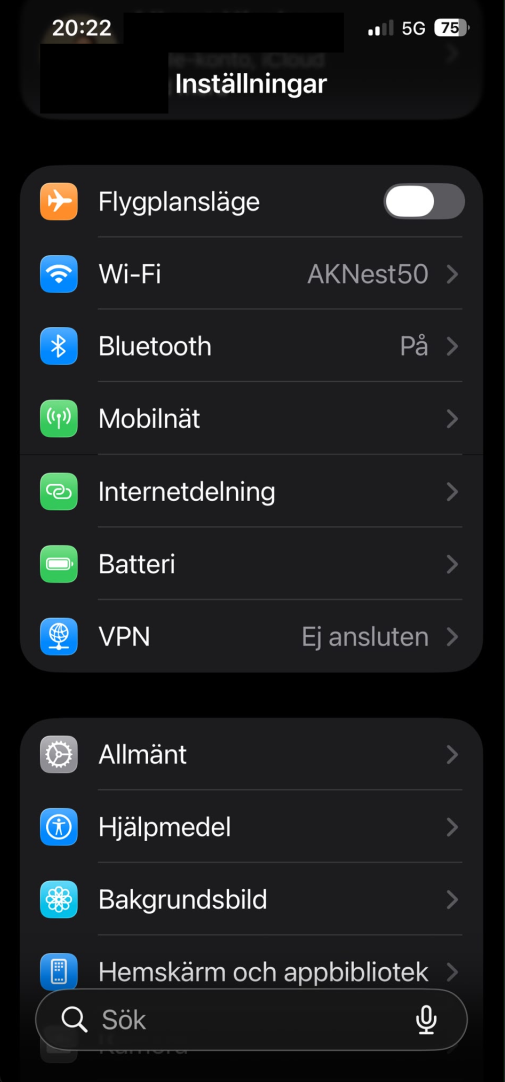
8. Under Hotspot / Internetdelning select "allow others to connect" / "tillåt att andra ansluter".
9. Click on Wifi password / Wifi lösenord.
10. Set "bicycledata" as password.
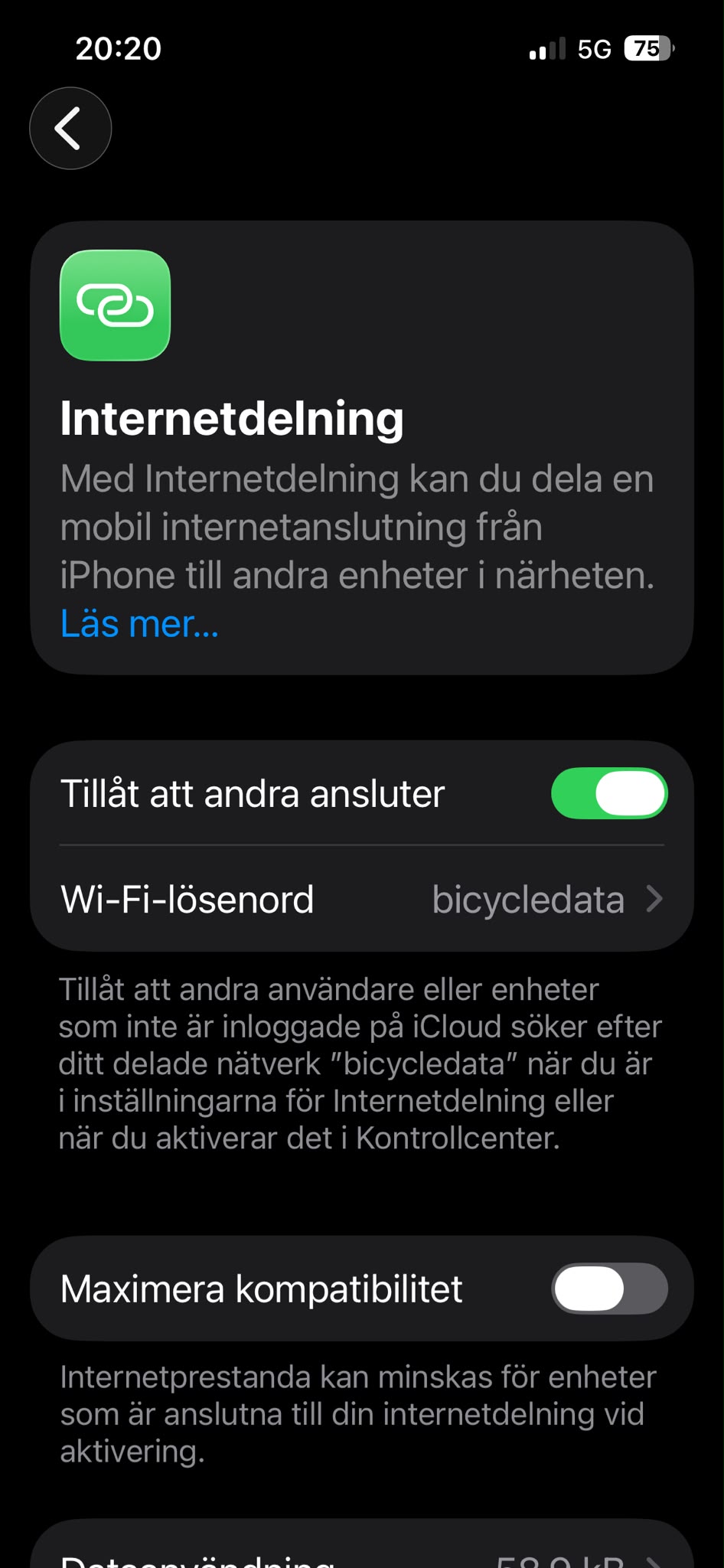
When the logger connects to the hotspot, you'll briefly see a green link symbol in the upper left-hand corner.
The clock remains green while the device is connected to the hotspot.
Also the Wifi LED on the logger will be lit while the connection persists.